
Use experimental and control groups to measure CRM campaign impact. The experimental group receives the campaign, while the control group doesn’t, helping isolate the campaign’s effect.
Are you sure your CRM campaigns are as effective as they could be in the long term?
In today’s data-driven world, many businesses are making the mistake of measuring their campaign success with incomplete data. Without proper testing, you could be investing in strategies that aren’t delivering real value.
That’s where experimental and control groups step in.
What Are Experimental and Control Groups in Marketing?
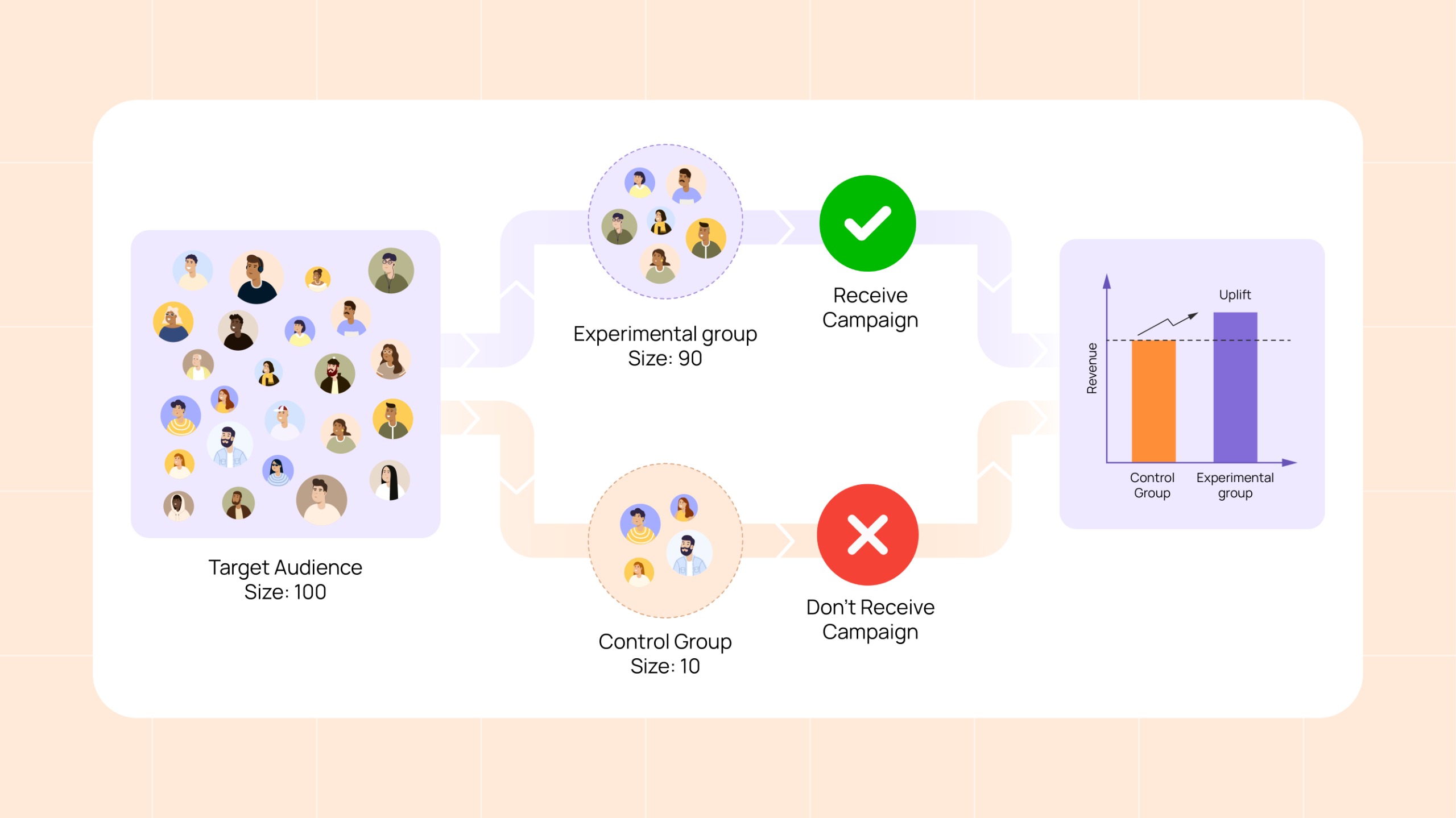
An experimental group is a set of customers who are exposed to a certain campaign. On the other hand, a control group is a group of customers that is kept separate from your target group and does not receive the campaign to track any external factors like seasonality, market trends, or competitor promotions that may impact the campaign’s outcome.
These groups offer a scientifically-backed method to measure the real impact of your campaigns, isolating your efforts from external influences and helping you make data-driven decisions that adjust your marketing spend. This is particularly valuable in India’s diverse retail landscape, where customer behavior can vary drastically across regions and segments.
How to Implement Experimental and Control Groups in Your CRM Campaigns
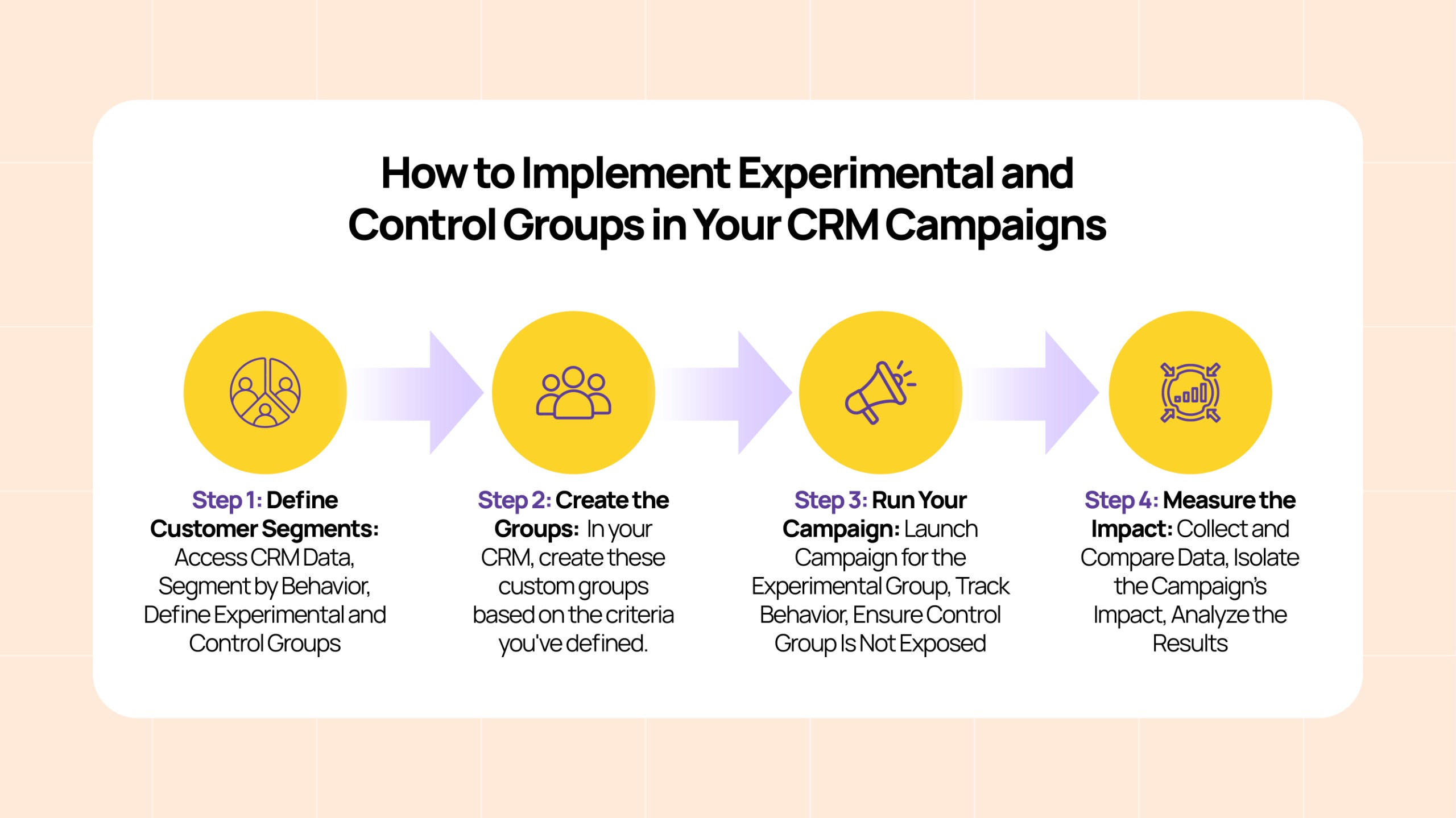
Implementing experimental and control groups in CRM campaigns is simpler than you might think. Here’s a step-by-step guide to set them up, tailored to offline customer engagement strategies:
Step 1: Define Customer Segments
To start, you need to define your customer segments based on previous interactions and purchasing behavior. Here’s how you can go about it:
- Access CRM Data: Use your CRM system to segment your customers based on data from previous interactions. This could include purchase history from physical stores, interactions with loyalty programs, or engagement with offline events like in-store promotions.
2. Segment by Behavior: Focus on behaviors, such as customers who regularly visit your physical store, attend in-store events, or engage with marketing efforts like offline or in-store events. For example, segmenting by frequency of store visits, loyalty program membership, or customers who responded to previous campaigns (e.g., in-store discounts).
3. Define Experimental and Control Groups:
- Experimental Group: Customers who will receive the offline campaign treatment (e.g., special in-store discounts, event invitations).
- Control Group: Customers who will not receive the campaign treatment. For example, they won’t receive any promotional material or discounts tied to the campaign. They serve as a benchmark to control for any external factors like seasonal store foot traffic.
Step 2: Create the Groups
Once you’ve defined your segments, it’s time to create your experimental and control groups for your campaigns.
Using CRM for Group Creation: In your CRM, create these custom groups based on the criteria you’ve defined. Make sure that your control group is not exposed to the campaign’s incentives.
Step 3: Run Your Campaign
With the groups set up, you can now execute your campaign, ensuring that only the experimental group receives the special treatment, while the control group remains unaffected.
- Launch Campaign for the Experimental Group: For the experimental group, execute the campaign. This could involve sending in-store discount coupons, event invitations, or exclusive offers via SMS or direct in-store promotions.
2. Track Behavior: Use your CRM to track how the experimental group behaves during the campaign. You can measure foot traffic in stores, redemption rates for discount coupons, or how many customers attend an in-store event based on physical tickets or attendance logs.
3. Ensure Control Group Is Not Exposed: Make sure that the control group doesn’t receive any of the promotions or event invitations.
Step 4: Measure the Impact
After running the campaign, you’ll want to measure how successful it was by comparing the results of the experimental group and control group.
- Collect and Compare Data: Gather data on the in-store actions and engagement from both the groups. For example, look at how many people from the experimental group redeemed their discounts, attended events, or made a purchase compared to the control group.
2. Isolate the Campaign’s Impact: Compare the behavior of the experimental group (who received the campaign treatment) with the control group (who didn’t). This helps isolate whether the campaign itself caused the changes in behavior.
3. Analyze the Results: For example, if the experimental group saw a 20% increase in sales during the campaign period, but the control group only saw a 5% increase, this suggests the campaign had a positive impact on sales.
Streamlining Testing with eWards’ AI-Backed Insights
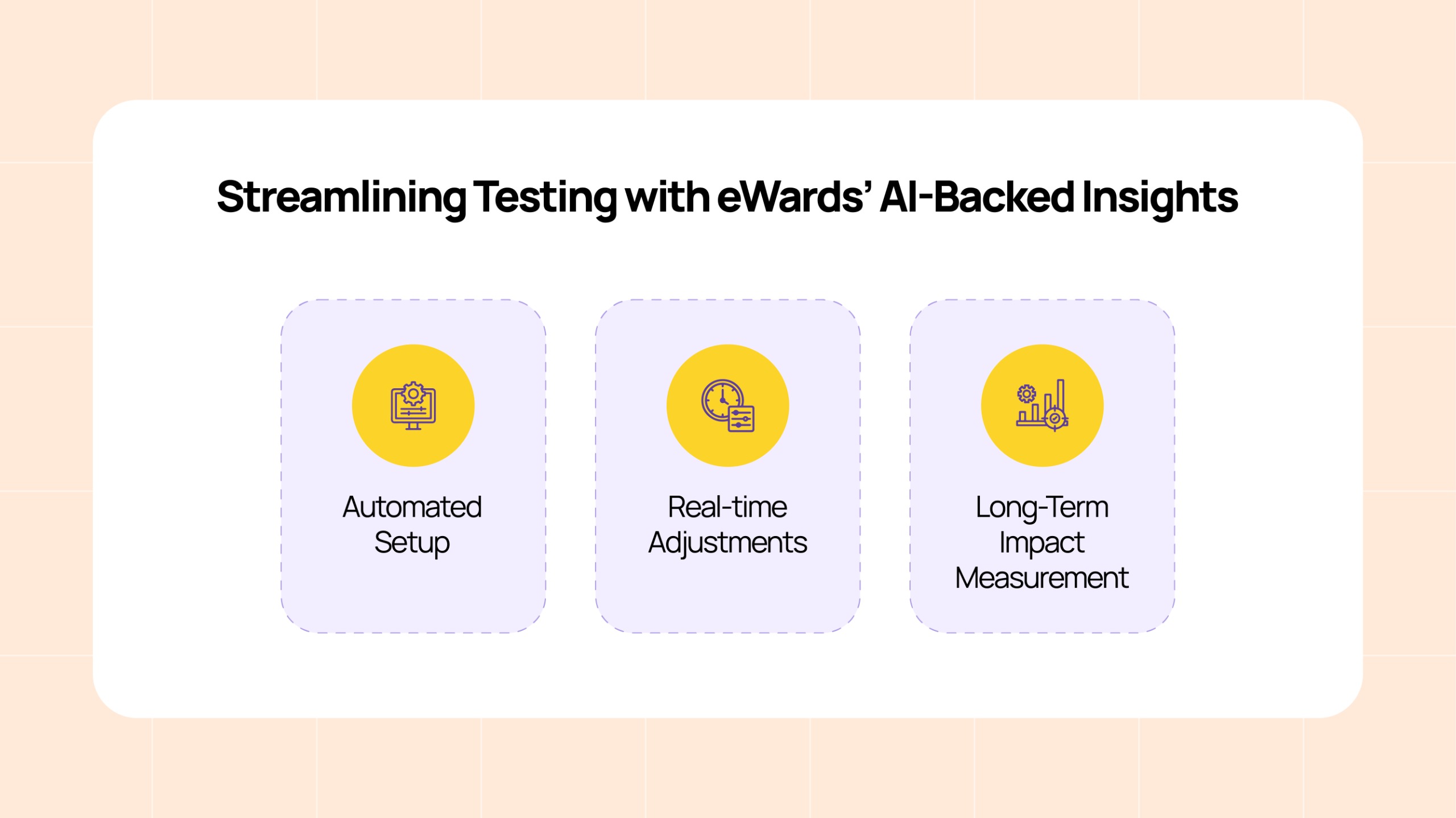
By using eWards, businesses can streamline the process of testing campaigns with experimental and control groups. Here’s how:
- Automated Setup: eWards automates customer segmentation and group creation through AI-backed insights, reducing manual effort and ensuring accuracy.
- Real-time Adjustments: eWards continuously tracks campaign performance and offers actionable insights, allowing you to make real-time adjustments to optimize results.
- Long-Term Impact Measurement: The platform doesn’t just measure immediate sales but also helps track customer loyalty and long-term engagement, ensuring your campaigns are creating sustainable results.
With eWards, you can automate testing, analyze results faster, and ensure your CRM campaigns are always data-driven.
Real-Life Examples: How Retail & F&B Brands Use Experimental and Control Groups
- Customer Segmentation in F&B (Food & Beverage Example): A restaurant chain might use experimental and control groups to test a loyalty program. One group receives rewards (experimental group), while another does not (control group). This helps measure the program’s impact on customer retention and repeat visits.
- India’s Retail Brands Testing Customer Engagement: Retail giants like Shoppers Stop and Big Bazaar use experimental and control groups to test CRM strategies (e.g., personalized recommendations or discount coupons). By comparing these groups, they identify which strategies most effectively influence customer spending.
- Flipkart’s Flash Sales and User Behavior: During seasonal sales, Flipkart uses a control group to test campaigns like limited-time discounts. Since the control group doesn’t receive any offers, Flipkart can accurately assess the campaign’s true impact on customer behavior, ensuring results aren’t influenced by external factors.
Read More: Loyalty Program Fraud in Retail & F&B: How to Protect Your ROI and Retain Customer Trust
Subscribe for Smarter, Data-Driven CRM Insights
Ready to elevate your CRM strategy with smarter testing? Subscribe to our newsletter for expert insights on AI-driven CRM optimization for improved customer engagement and ROI.
FAQs
An experimental group consists of customers who are exposed to a specific campaign, such as special offers or promotions. In contrast, a control group is kept separate and does not receive the campaign treatment. The control group helps track external factors like seasonality or competitor promotions, allowing businesses to isolate the impact of the campaign itself.
To implement experimental and control groups, you first define your customer segments based on behaviors such as frequency of store visits or interaction with loyalty programs. Then, create the groups within your CRM system, ensuring the experimental group receives the campaign treatment while the control group does not. Track the campaign’s impact by comparing the results of both groups.
eWards automates the customer segmentation and group creation process using AI-powered insights, reducing manual effort and ensuring accuracy. It also provides real-time adjustments to optimize campaigns and measures long-term customer engagement, helping businesses track both immediate sales and sustainable loyalty.